
Features
Is there a Pomodoro timer that tracks each subject?
Verified on: October 27, 2026
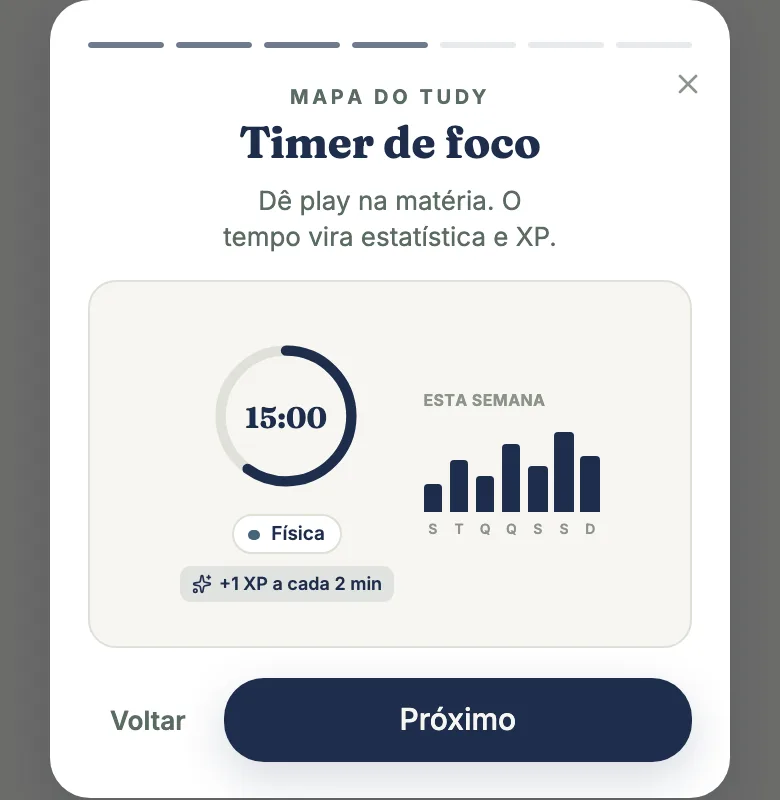
tudy’s focus timer has two modes, Pomodoro and a free stopwatch, and it always works for one subject: the time you study goes straight to your Stats, split by subject (and by topic, if you want). It’s unlimited on the Free plan.
Pomodoro or stopwatch
- Pomodoro: cycles of focus and break. The default is 30 minutes of focus, a 5-minute break and 4 rounds, but you can change it: focus from 5 to 180 minutes (in steps of 5), breaks from 5 to 60, and 1 to 12 rounds. Once you pick a subject, one line sums up the setup (“30 min · 5 min · 4 rounds”) and expands so you can adjust it. Each subject remembers its own times: 50 minutes for Calculus, 25 for Spanish.
- Stopwatch: just counts up, with no rounds. You stop whenever you want.
To start, pick the subject (“What are you studying?”) and tap Start. You can skip a phase, pause, restart the round or end the session.
Sound, banner and floating window
- Sound at the end of each phase, with a button to turn it on or off. The app generates the sound itself.
- Banner: while the timer runs, a banner takes you back to the session from anywhere in tudy.
- Floating window: the timer can sit in a small window above your other windows, so you can watch the clock while you read a PDF. This depends on your browser. If yours doesn’t support it, the app tells you.
- The tab title shows the clock, so you can see the time without opening tudy.
- Synced tabs: the same timer open in two tabs doesn’t double your time or XP.
The 3-hour check-in
Left the timer running? After 3 hours tudy asks “Still studying?” If you don’t answer, it pauses so the time doesn’t count by mistake, then lets you keep it all, keep only part, or discard it.
Topics and manual time
While the timer is stopped, you can tie the session to a topic in the subject. That’s how Stats goes from “I studied 4 hours of Math” to “3 hours on Derivatives and 1 hour on Trig.”
Studied without opening the timer? In Manage time, inside Stats, you can log hours by hand: subject, date, length and an optional start time. Manual time keeps your streak but earns no XP. Counts under 1 minute aren’t logged.
XP and streak
Focus of at least 1 minute counts the day for your streak. For XP, every 2 full minutes is worth 1 XP, only for the first 3 hours of each session and with a cap of 240 XP a day. Focus XP never runs faster than the clock, so logging “studied 3 hours” twice in a row won’t pay out twice. Details in XP and leaderboard.
What’s free and what’s Pro
| Free | Pro | |
|---|---|---|
| Pomodoro and stopwatch | unlimited | unlimited |
| Times per subject, sound, window, check-in | yes | yes |
| Manual time | yes | yes |
| Advanced focus stats (heatmap, weekly rhythm) | no | yes |
After a few timer sessions, Free users see a full-screen message from tudy inviting them to try Pro. There are no third-party ads. Pro is $3.99 a month or $29.99 a year, paid by card.
What the timer doesn’t do
- It doesn’t time two subjects at once. If a session is already running, the app asks you to end it before starting another, so time doesn’t get mixed up.
- It doesn’t work offline.
- It doesn’t block other apps or websites. It tracks time; the discipline is yours.
- It isn’t a tree that dies. If you want a Forest-style game, tudy isn’t that. It measures and rewards you with XP and a streak.
Frequently asked questions
Can I change the Pomodoro focus and break lengths?
Yes. Focus runs from 5 to 180 minutes, breaks from 5 to 60 and rounds from 1 to 12. The default is 30 minutes of focus, 5 of break and 4 rounds, and each subject remembers its own settings.
Is tudy's timer free?
Yes. The timer, Pomodoro and stopwatch are unlimited on the Free plan. After a few timer sessions, Free users may see a full-screen tudy message about Pro.
Does studying with the timer earn XP?
Yes. Every 2 full minutes of focus is worth 1 XP, counting only the first 3 hours of each session, with a daily cap. Manual time keeps your streak but earns no XP.
Does the timer work while I'm in other apps?
A banner follows the timer while you move around tudy, and in supported browsers it can sit in a floating window outside the app. tudy needs an internet connection to log your time.