
Features
What's a good digital notebook for taking college class notes?
Verified on: October 27, 2026
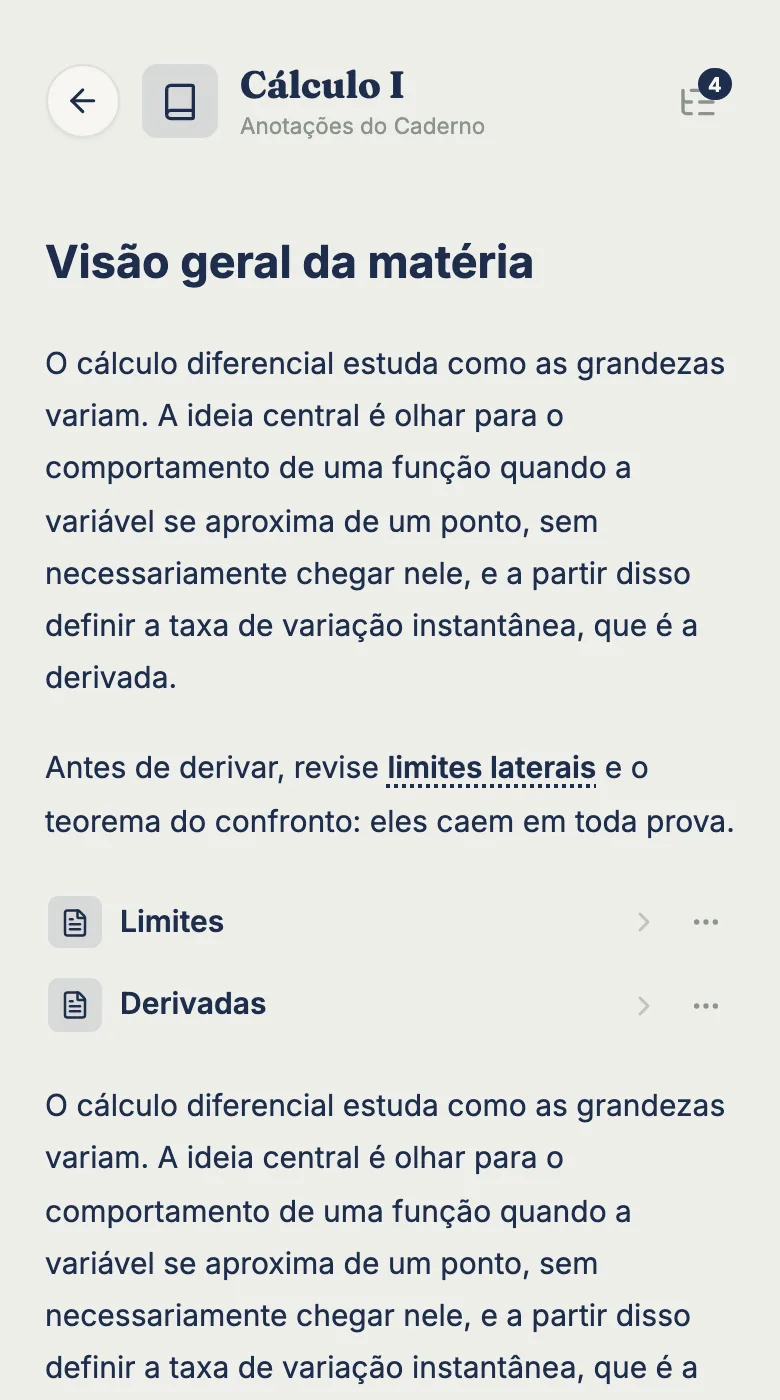
tudy notebooks live inside each subject and hold your class notes in a full text editor, with headings, lists, checklists, highlights and links. They autosave to the cloud and open on any device. The Free plan gives you 2 notebooks per subject, and Pro makes them unlimited.
How notebooks work
Every subject has a Notebooks tab. In it you create notebooks (say, “Exam summaries” and “Lectures”) and, inside each notebook, you write notes. The structure is subject, notebook, note, which keeps your Calculus material away from your History material without you managing folders.
Each notebook shows when it was last updated, and you can rename or delete it from its menu. Deleting a notebook deletes every note in it, and the app asks before it does.
What the editor can do
The editor has a formatting toolbar that expands and collapses:
- Headings in three levels
- Bold, italic, underline and strikethrough
- Highlight
- Bulleted and numbered lists
- Checklists, handy for a “what’s on the final” list you cross off
- Quotes and dividers
- Links, which you add or remove by selecting text
- Undo and redo
At the bottom the editor counts words and characters and shows when it last saved (“Saved at 2:32 PM”). There’s nothing to press: your writing is saved as you go.
Your notebooks on every device
Everything lives in the cloud. Take notes on a laptop in lecture, then review them on your phone between classes, with the same account. tudy runs in the browser and can be added to your home screen, so it opens like an app. If a note gets edited in two places at once, the app tells you it changed on another device and asks you to reload, instead of quietly overwriting one version.
Notebooks, topics and flashcards together
Notes are only one part of studying. In the same subject you also have tasks, the focus timer and flashcards. One way to use them: write your summary in a notebook, turn the points most likely to show up on the exam into flashcards, and use the timer to study in blocks, always under the same subject.
What’s free and what’s Pro
| Free | Pro | |
|---|---|---|
| Notebooks per subject | 2 | unlimited |
| Full editor | yes | yes |
| Cloud sync | yes | yes |
The 2-notebook limit is enforced in the database. Pro is $3.99 a month or $29.99 a year, paid by card.
What notebooks don’t do
- They don’t take images, tables or drawings. The editor is text only.
- They don’t work offline. tudy needs a connection; the app’s background worker exists only for notifications.
- They don’t summarize PDFs or grade your writing. Talk to tudy chats and plans, but it doesn’t read files.
A routine for exam week
Notebooks work best when they’re part of a routine. A simple sequence: in class, take notes in a Lectures notebook, using headings for each topic and a highlight on whatever the professor repeated. Afterward, rewrite the essentials in Summaries and build a checklist of what’s on the exam, crossing items off as you review. Finally, open the timer on the same subject and study in blocks. The time goes into Stats and the review counts toward your streak.
A tip for setting them up
One notebook per kind of material works better than one per month. “Lectures” for what the professor said, “Summaries” for what you rewrote afterward. On Free, those two already fill the 2 notebooks each subject gets.
Frequently asked questions
How many notebooks can I have on the Free plan?
Up to 2 notebooks per subject on Free, with as many notes inside them as you like. On Pro, notebooks are unlimited.
Do notes save automatically?
Yes. The editor saves as you type and shows 'Saving...' and 'Saved at' with the time. Everything lives in the cloud and opens on any device.
Can I add images or PDFs to my notes?
No. The editor is text only, with headings, lists, checklists, highlights, quotes, dividers and links. It has no images, tables or drawing.
Do I need internet to take notes?
Yes. tudy doesn't work offline. If your connection drops, the editor tells you and saves when you're back online.